If you use Fastmail on an iPhone, you know the pain of not having a native iPhone experience for your email. Your choices are either to use Fastmail’s own app, which isn’t a native iPhone app, or to use another email app and lose all the features that make Fastmail unique.
Today we are announcing WMail, a native iPhone email app for Fastmail and JMAP users. Because it’s built entirely on JMAP, you keep using features you love like Masked Email and Send Later, in an app designed to take full advantage of the iPhone.
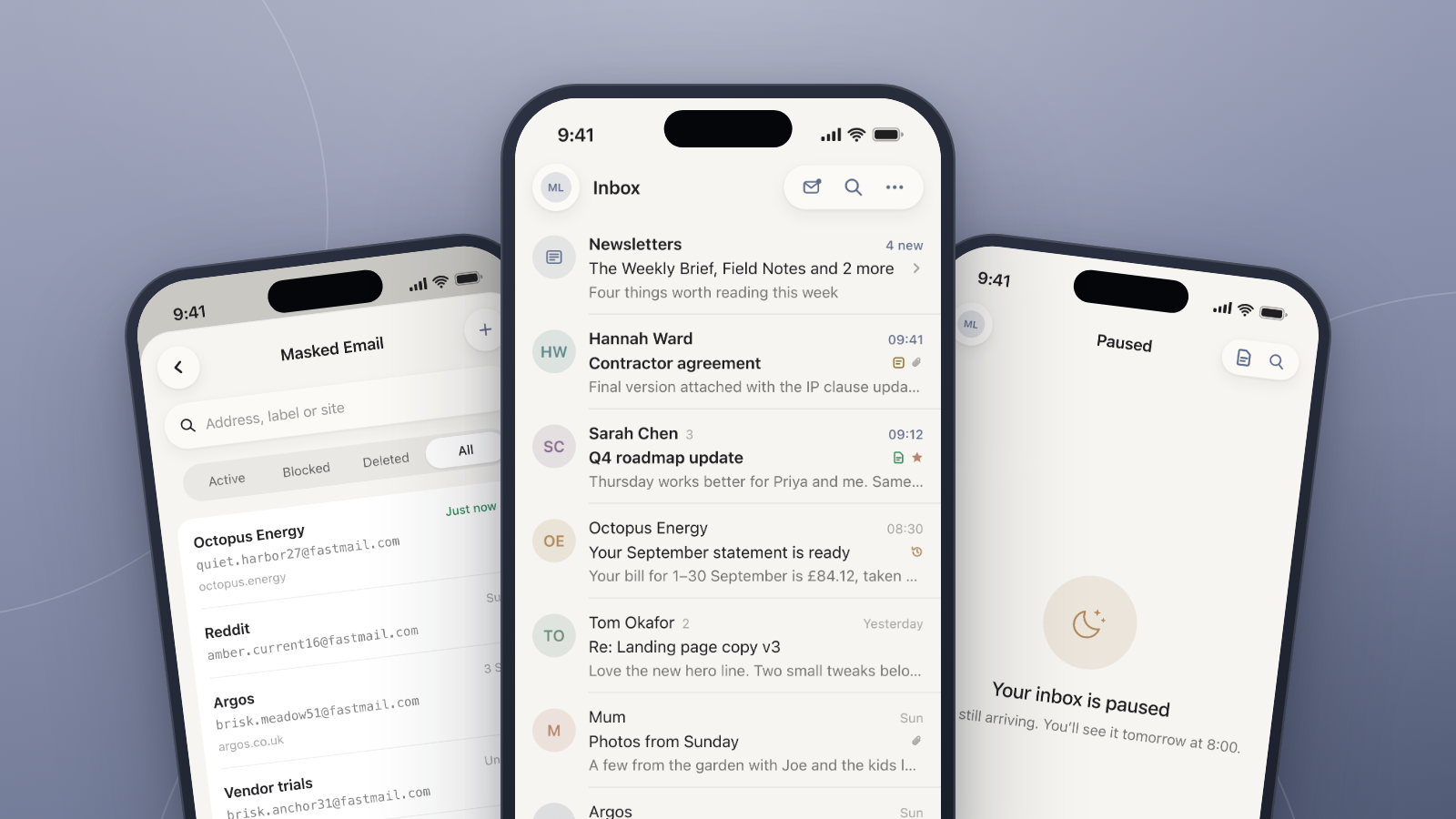
WMail brings everything you love about Fastmail and adds power-user features on top, like Quick Reply, Pause Inbox, Newsletter Bundles, Templates and so much more.
Fastmail Features, Built In
Most email apps connect using IMAP rather than JMAP, the protocol Fastmail uses, so you lose the features that make Fastmail great.
We’ve built WMail around JMAP, so you still get one of Fastmail’s most loved features natively: Masked Email. Easily manage your Masked Email addresses, and when you reply to an email sent to a Masked Email address, WMail automatically replies from that same address. Because WMail is built for iPhone, you can also add actions to Control Centre, so creating a new Masked Email is just a tap away.
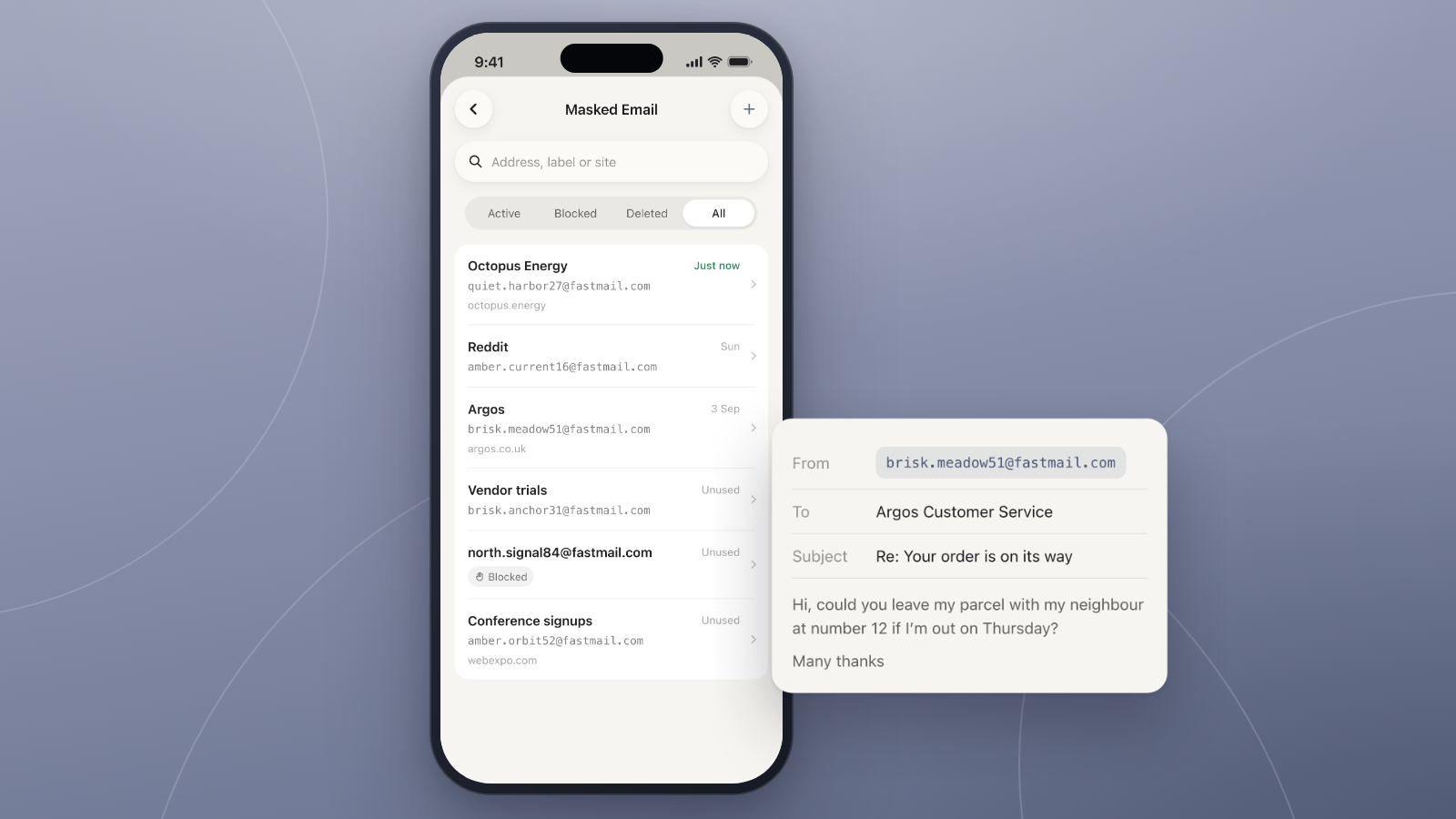
If you write memos on your emails in Fastmail, you’ll see them in WMail too. Edit or add memos in WMail and they stay perfectly in sync with Fastmail.
Built for Getting Through Your Inbox
One of our key goals was to bring everything from Fastmail to the iPhone as a native experience, then add unique and powerful features that make getting through your inbox faster and more enjoyable.
Here are just a few of the features that make WMail the best way to save time and be more productive with your Fastmail account:
Designed for iPhone
Because WMail is designed specifically for iPhone, we’ve thought carefully about screen space. We spent a long time building custom signature trimming, so huge signatures are tidied away and don’t take over your screen. We’ve also added a Quick Reply bar, which works a bit like sending a text, so you can write a reply while still seeing the message thread.
Pause the Inbox
Calm and focus are at the core of WMail, and pausing the inbox is a great way to stop checking it so often and stay calmer by not seeing messages as they arrive. Choose the days of the week and times to pause your inbox, and you’ll see a paused message when you open WMail.
Newsletter Bundles
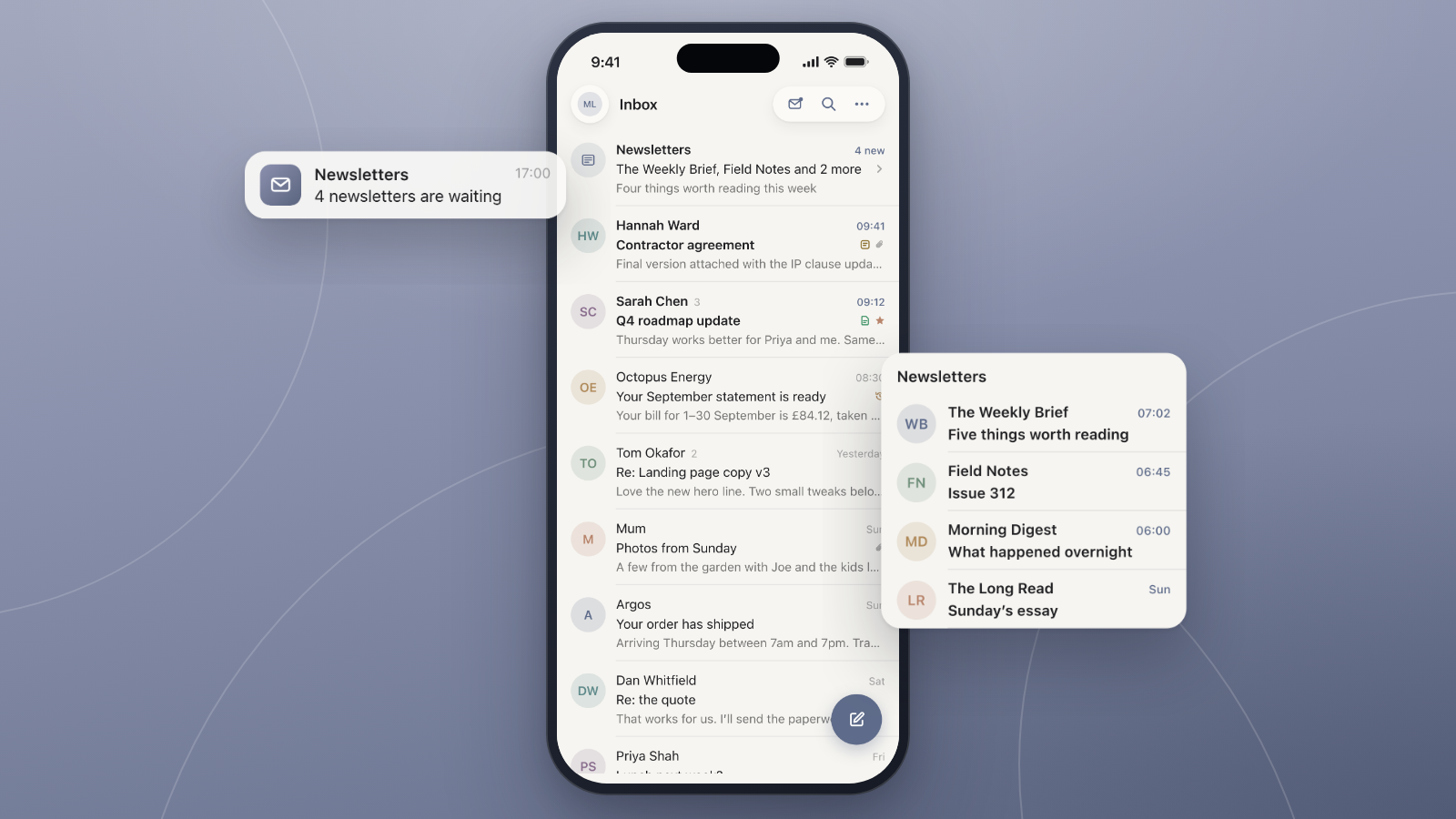
Newsletters arrive all day, every day. Newsletter Bundles let you choose senders to bundle up. They’re moved out of your inbox and delivered together at a time you choose, ready to review in one go. It’s very similar to Bundles in Google’s old Inbox app, if you ever used it.
Templates
No one likes writing the same thing again and again. Templates make it easy to insert a saved message into a new email or a reply. Reorder your templates with drag and drop, and create custom text shortcuts like ;hi to insert Hi Matt straight into the reply box.
Mass Unsubscribe
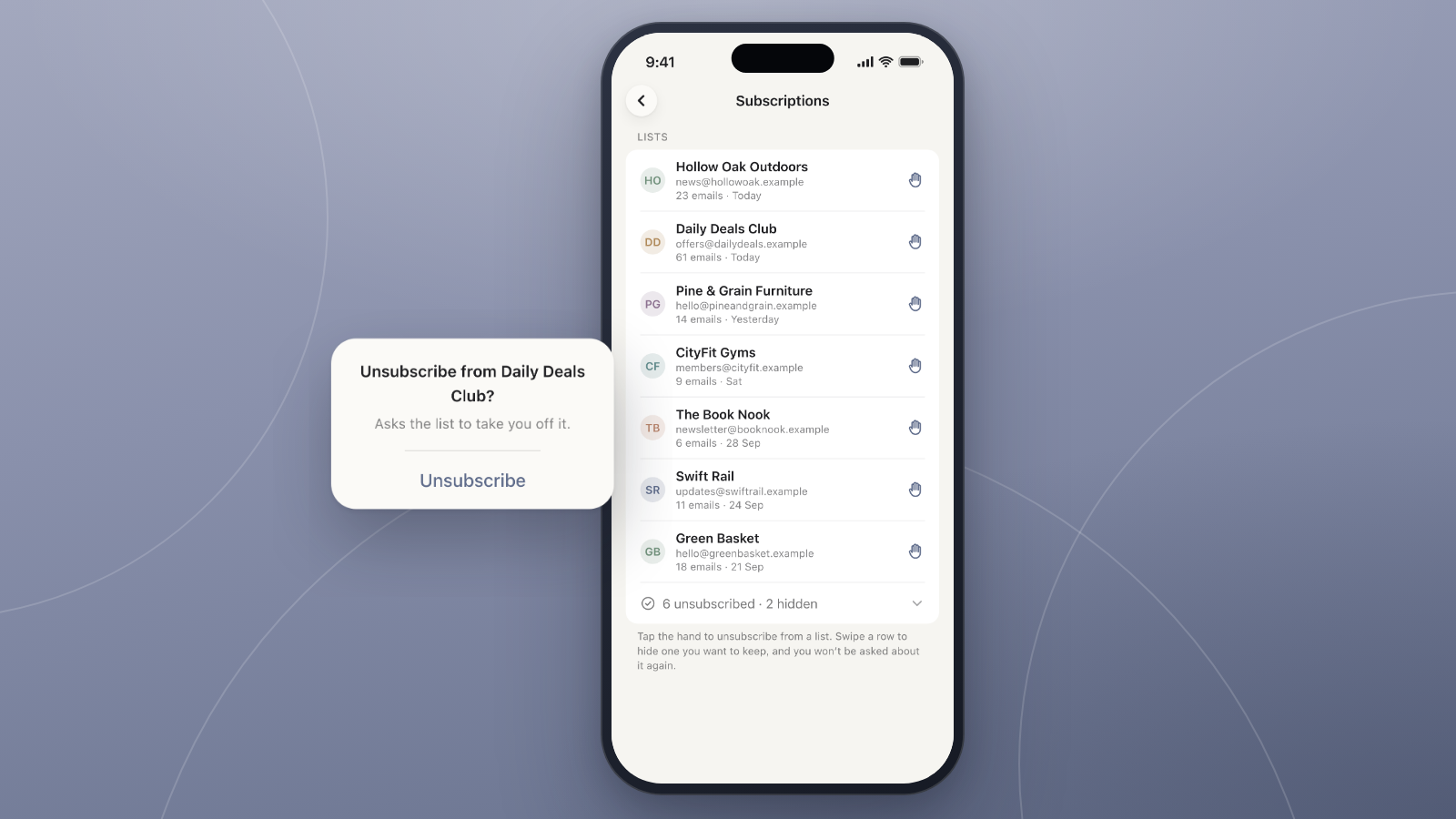
WMail finds your email subscriptions and lists them in one place. Unsubscribe with one tap, or hide the ones you want to keep. Think of it as a list you can check regularly to see if anything’s popped up you might want to unsubscribe from, and Settings shows a count of how many are waiting for review.
Free to Download (Pro for Power Users)
WMail is free to download for iPhone and includes the core features most people will use. For power users, Pro adds features to save even more time, including Templates, multiple accounts and integrations with Things, Bear and Reminders. You can compare Free and Pro features on WMail’s website.
Get WMail
If you’re a Fastmail or JMAP user, give WMail a try for free today! All you need is an iPhone running iOS 26 or later.